Tutorial & Guide
How to Use an Online Stopwatch: Complete Beginner's Guide
Master start, stop, lap splits, keyboard shortcuts, and millisecond readout directly in your browser with zero downloads.
Whether you are timing sprints at track practice, measuring work sprints during a Pomodoro block, or tracking speaking intervals in a presentation, an online stopwatch gives you instant, precision timekeeping without installing an app or registering an account.
This complete beginner's guide explains how to operate every control, how to read every digit on the screen, and how to record split lap times like a professional coach.
1. The Three Core Actions: Start, Stop, and Reset
Every standard stopwatch performs three fundamental operations:
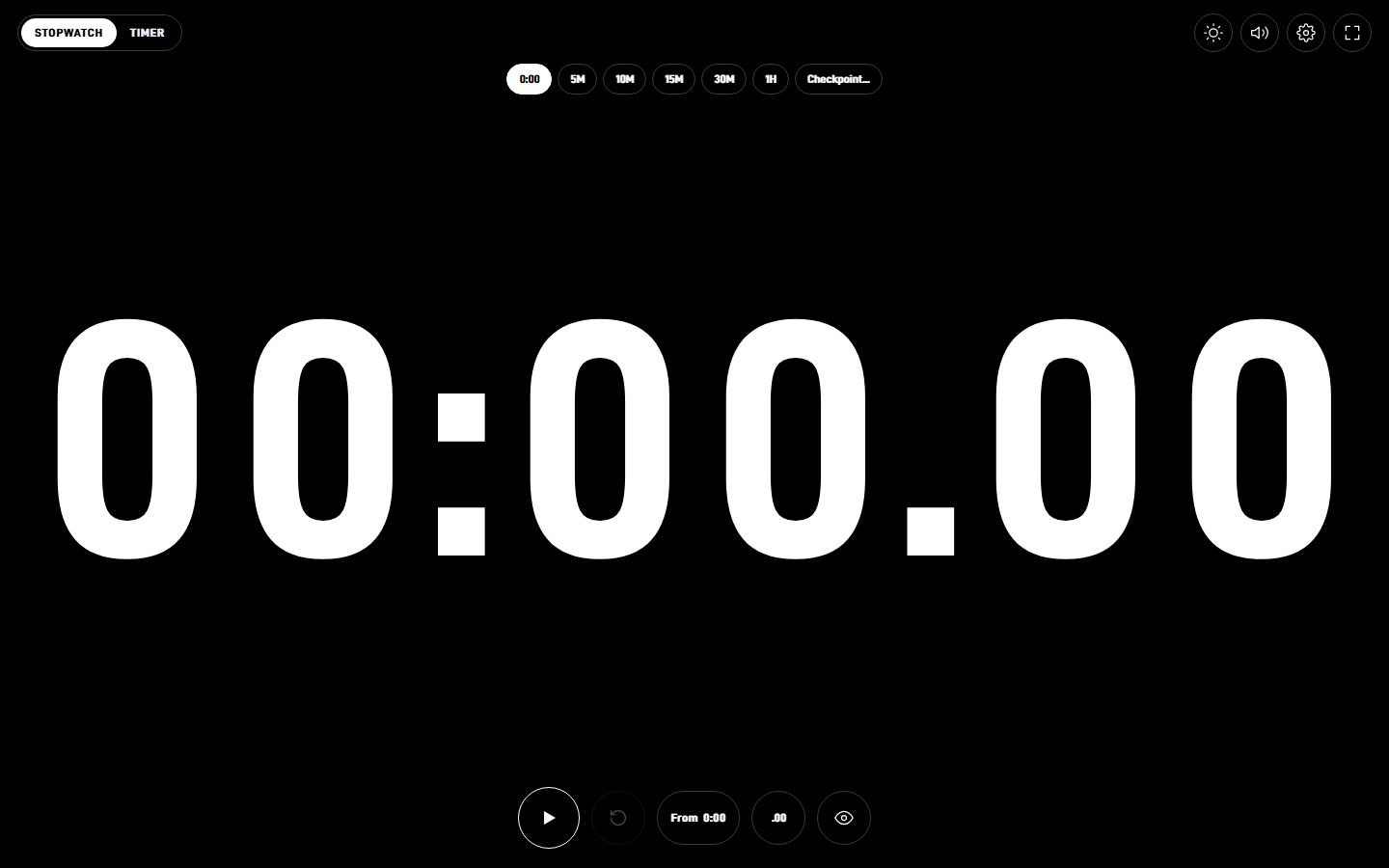
- Start: Begins measuring elapsed time from zero (or resumes from where you paused). Click the large Play icon or press the Space key.
- Stop / Pause: Halts the clock and freezes the display at the current millisecond. Click the Pause button or press Space again.
- Reset: Returns the clock back to
00:00:00.00and clears any saved lap splits. When paused, tap the circular Reset button or press R.
2. Keyboard Shortcuts: Touch-Free Operation
When you are working out or timing an event, fumbling for a mouse pointer creates delay and distraction. Fullscreen Stopwatch provides instant single-key keyboard hotkeys:
| Key | Action | Context |
|---|---|---|
| Space | Start / Pause | Toggles timer run state |
| R | Reset | Zeroes display and resets laps |
| L | Lap | Captures split while running |
| F | Full Screen | Expands display to 100% of screen |
| H | Zen Mode | Hides all buttons & HUD chrome |
| T | Toggle Mode | Switches to Countdown Timer |
3. How to Read a Stopwatch Display
A common question from beginners is understanding the numbers after the colon and decimal points. Here is the standard breakdown:
How to read a stopwatch on iPhone vs. Fullscreen Stopwatch: On iOS mobile stopwatch, the two smaller numerals after the dot represent hundredths of a second (1/100th of a second), often called milliseconds by runners. On our full-screen display, every numeral is set with tabular-nums, meaning digits 0 through 9 share identical fixed widths. This prevents the numbers from "jittering" or shifting back and forth as time ticks.
4. How to Record and Review Split Lap Times
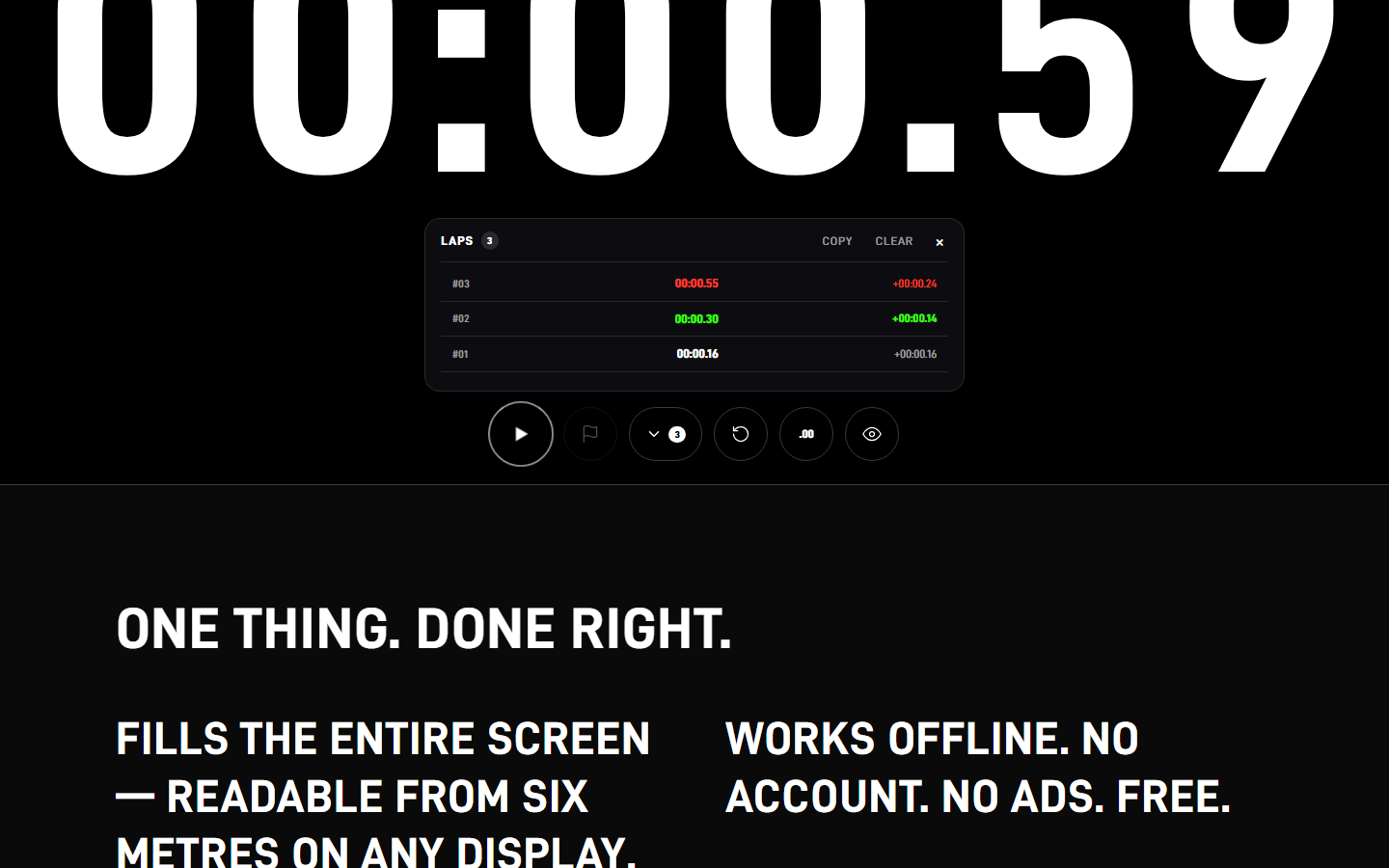
When running multiple laps around a track or tracking workout sets, you don't want to stop the main clock. Pressing L or clicking the Lap button creates a checkpoint:
- Lap Total: The overall clock time when the lap was stamped.
- Split Time: The exact duration of just that individual lap.
- Automatic Highlighting: The fastest lap is highlighted in green, and the slowest lap is flagged in red for immediate visual feedback.
- Copy All Laps: Tap the "Copy Laps" button to paste formatted split times directly into your training log, spreadsheet, or notes.
5. Does an Online Stopwatch Really Work Accurately?
A common concern is whether browser-based stopwatches suffer from timing lag or drift. Older web stopwatches relied on naive setInterval counters that accumulated error whenever the browser throttled background tabs.
Fullscreen Stopwatch uses high-precision monotonic clock timestamps (performance.now() and system Date.now()). Even if your browser briefly pauses rendering or you lock your screen, the clock calculates the true mathematical delta between the start timestamp and the current instant. It never drops milliseconds or falls behind.
Frequently Asked Questions
How do I use the online stopwatch?
Press the Spacebar or tap the Play button to start timing. Press Space again to pause, L to record split lap times, and R to reset the clock to zero. You can also toggle full-screen mode by pressing F.
Does the stopwatch show milliseconds?
Yes. By default it displays hundredths of a second (.00). You can switch between two decimals, one decimal (.0), or whole seconds (0) via the precision control. All numerals occupy fixed-width slots so the digits never jump or jitter.
Can I use the stopwatch without downloading an application?
Yes. It runs entirely inside any modern web browser on PC, Mac, iPad, iPhone, Android, or Smart TV without app store visits, installers, or registration.
Does the online stopwatch work on mobile phones?
Yes. It is fully touch-optimized. Tapping anywhere on the screen starts and pauses the timer. Rotating your phone horizontally into landscape mode automatically magnifies the numerals to fill the entire screen width.
How to read a stopwatch on iPhone vs. full-screen display?
On iOS stopwatches, the two smaller numerals after the decimal point represent hundredths of a second (1/100s). On Fullscreen Stopwatch, every digit is rendered at extreme scale with tabular monospaced width, making it far easier to read from across the room.
Can I pause and resume the stopwatch without resetting it?
Yes. Tap Pause or press Space to freeze the time. Press Space again to continue counting from the exact millisecond where you stopped.
Can I record lap times using the stopwatch?
Yes. Press L or tap the Lap button while running. Splits are saved in a clean bottom drawer with automatic green (fastest) and red (slowest) highlights and a one-click Copy Laps button.
Does the stopwatch continue running if I switch tabs?
Yes. Even if background tab rendering is throttled by your operating system, the clock tracks real-world wall-clock timestamps (Date.now()), ensuring exact elapsed time continuity the instant you switch back.
Can I use the stopwatch for classroom activities, sports, or workouts?
Yes. Its oversized D-DIN typography makes it ideal for projecting on classroom smartboards, mounting on gym TV displays, or placing on a podium during timed debate speeches.
What are features of full screen stopwatch?
Key features include anti-jitter tabular typography, single-key shortcuts (Space, R, L, F, H, T), split lap tracking, daylight and phosphor night themes, offline service worker support, and built-in countdown mode with audible alarm.
Related Stopwatch Guides
Fills the screen. Readable from six metres.