Athletic & Coaching Guide
What Are Lap Times in a Stopwatch? Meaning, Uses & Recording
Explore the mechanics of split lap tracking: cumulative totals vs individual segment intervals, pacing analysis, and one-tap clipboard export.
When watching track and field, Formula 1 racing, Olympic swimming, or timing CrossFit interval workouts, you frequently hear commentators reference stopwatch lap times and split intervals.
Lap timing is one of the most powerful features of any modern digital chronometer. It allows an athlete, coach, or researcher to log critical checkpoints along the way without stopping or resetting the master clock. In this guide, we clarify the essential distinction between a lap and a split, explain how multi-lap memory works, and show how to use our online stopwatch with lap counter for training.
1. Lap Time vs. Split Time: What Is the Difference?
While the terms are often used interchangeably in casual conversation, in competitive sports timing they have precise mathematical meanings:
Lap Time (Interval / Differential)
The duration required to complete a single segment between two consecutive checkpoints. For example, if a runner runs four 400-metre laps in 62s, 64s, 63s, and 61s, each of those numbers is an individual lap time.
Split Time (Cumulative Total)
The total accumulated elapsed time from the initial gun start to that specific marker. For the same runner above, the split times are 1:02, 2:06, 3:09, and 4:10 (final finish).
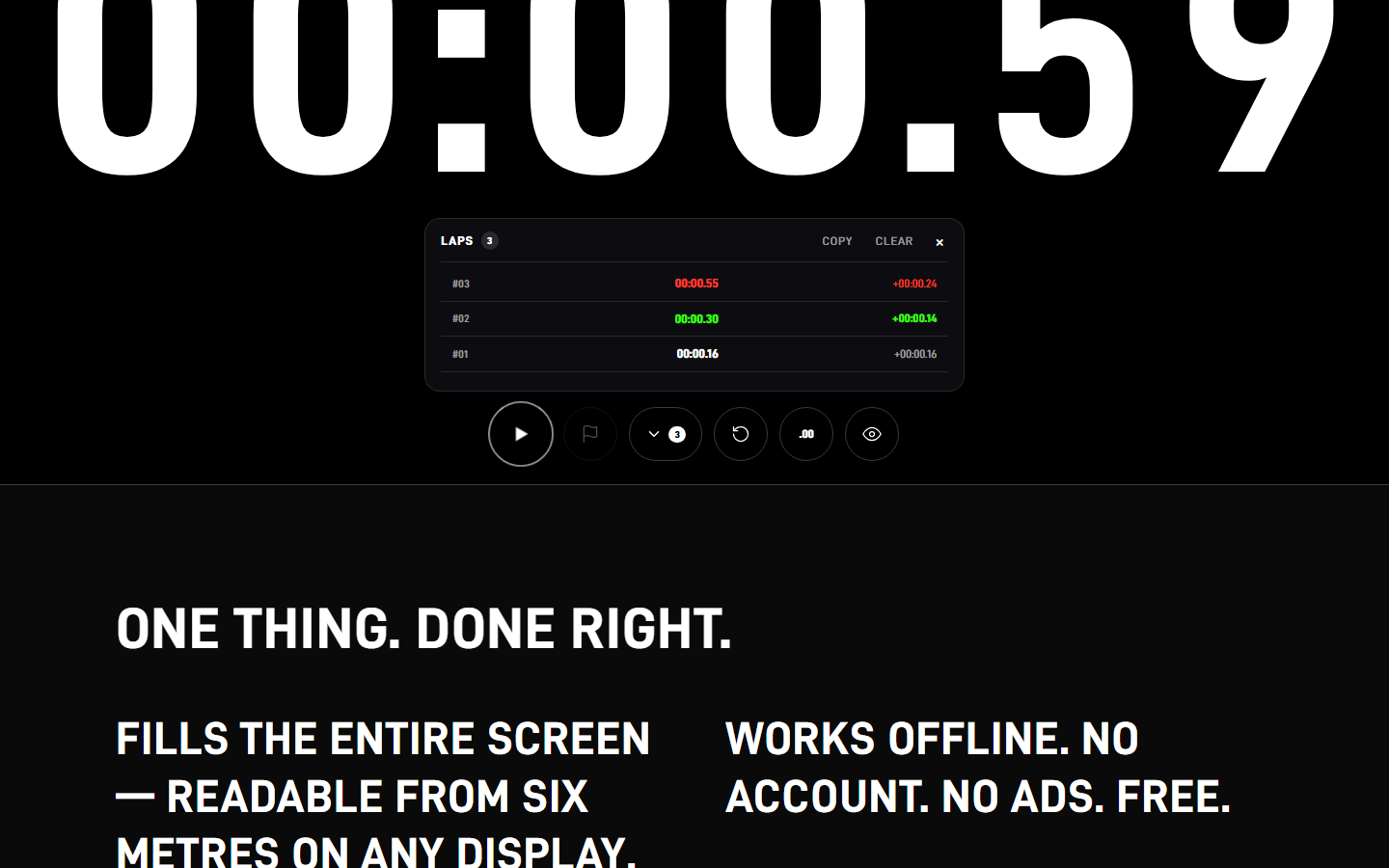
Fullscreen Stopwatch calculates and displays both simultaneously in every row, giving you total visibility into pacing strategy.
2. Where Are Lap Times Used in Practice?
- Track & Distance Running: Coaches record splits at every 200m or 400m curve to evaluate whether a runner is "positive splitting" (slowing down in the second half) or executing a textbook "negative split" (finishing faster than they started).
- HIIT & Circuit Training: In CrossFit or garage workouts involving EMOM (Every Minute on the Minute) or round-based AMRAPs, recording a split at the end of each round tracks fatigue curves and pacing decay across sets.
- Swimming Intervals: In pool workouts, swimmers press lap at the edge of every 50-metre turn to compare stroke turnover rates between freestyle, backstroke, breaststroke, and butterfly.
- Debate & Public Speaking Pacing: Speakers and moderators tap lap at the transition between introduction, argument blocks, and conclusion to verify whether each section remains within allotted speech limits.
- Industrial Assembly & Time Studies: Operations engineers use lap timing to measure individual task cycles along manufacturing workstations to identify production bottlenecks.
3. How to Record & Export Laps on Fullscreen Stopwatch
- Start the clock: Press Space or click the central Play button.
- Log splits in real time: Press L or click the Lap button. The bottom drawer automatically expands without pushing the main clock off-screen.
- Identify fastest & slowest laps: Fullscreen Stopwatch analyzes your splits in real-time, coloring your quickest interval in green and your slowest in red.
- Export data: Click Copy in the drawer header to copy all split data into your clipboard, ready to paste directly into Google Sheets, Excel, or messaging apps.
Related Stopwatch Guides
Explore more in-depth guides to maximize your timing workflow:
Fills the screen. Readable from six metres.